Explore coding, creativity and hands-on learning. Choose any pathway below or expand the curriculum and free activity resources. CodeMonkey licensed access is separate and never blocks other activities.
All five pathways at a glance. Select a learning area below; additional curriculum and activity resources expand further down this page.
Six beginner lessons, a final Knowledge Check, and a certificate.
Try coding puzzles and computational thinking at your own pace.
Create your own game with MakeCode Arcade — begin with Mission 01.

Optional licensed games for approved schools and communities, subject to available seats.
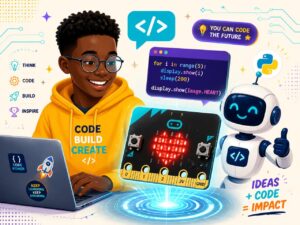
Make, program and experiment with hands-on physical computing.
A complete six-week beginner course. Open any week below to see its learning objective and go directly to the existing lesson. No extra course or account is created.
The lessons remain in their original LearnDash course. Progress, knowledge checks and certificates continue to be managed there.
Discover how code helps solve real challenges in your community.
Practise sequences, loops and debugging through freely accessible block coding. CodeMonkey is optional, not required.
Give instructions in order and repeat them in clever patterns.
Make programs that react to clicks, keys, and sounds.
Team up to design a small coded solution for your community.
Present your project to friends, family, and mentors.
Seven printable activities in four expandable categories. These are for supervised on-site clubs and are not additional Academy modules.
Download an activity for a facilitator-led, on-site Code Club session.
Download an activity for a facilitator-led, on-site Code Club session.
Download an activity for a facilitator-led, on-site Code Club session.
Download an activity for a facilitator-led, on-site Code Club session.
Public supporting resources for Coding Foundations, including lesson materials, parent and guardian guidance, and family learning support. No extra course enrollment is needed to browse this resource section.
A complementary STEAM literacy resource for Kasa Code Club — Coding Foundations. This partner-owned book is by JACTECH. The original book is provided unchanged.
Jac, a curious and cheerful caiman, embarks on an exciting journey to discover the world of STEAM. Along the way, he meets inspiring professionals and learns how Science, Technology, Engineering, Art, and Math can shape our world. Join Jac and discover how curiosity, creativity, and teamwork can make a difference!
For parents, guardians & facilitators
Everything you need to know before your child or club joins a Kasa Code Club session.
A colourful one-pager for parents, guardians & facilitators — print it, share it, bring it to the first meet-up.
Each session mixes a short icebreaker or warm-up, a guided coding or AI activity, and time to share what learners built. Facilitators support small groups so every child gets to try, make mistakes, and celebrate wins.
Sessions run for about 60–90 minutes, usually once a week during a term. On-site clubs follow a facilitator schedule; learners on the Academy can also progress at their own pace between sessions.
No prior coding experience is needed — just curiosity! If joining online, a laptop or tablet with a modern browser and a stable internet connection is enough. For on-site clubs, the facilitator provides materials.
No, but you’re always welcome to sit in on the first session. We encourage families to ask learners to demo what they built at home — it’s a great way to celebrate progress.
Yes. Kasa Code Club is designed for ages 8–13. All facilitators follow our safeguarding guidelines, and every activity is reviewed for age-appropriate content and safe online practice.
Facilitators can use the resources on this page to run icebreakers, warm-ups and standalone activities. Reach out and we’ll share the facilitator guide, curriculum plan, and onboarding steps.
Still have questions?
We usually reply within 2 working days.
Partner & Source Acknowledgement
Kasa Code Club may use or adapt selected learning resources from Code Club / Raspberry Pi Foundation, CodeMonkey, Scratch, and other approved educational resources. Kasa Foundation organises the learner experience, facilitation, assignments, reflections, and local delivery through the Kasa Learning Academy.